
King James Bible - KJV Offline
Bible and Games MediaBooks & Reference
4.713.14K Reviews
- Version
- 745
- Installs
- 10.00M
- Age Rating
- Everyone
Screenshots

Our Review of King James Bible - KJV Offline
 Analysis by Appyee
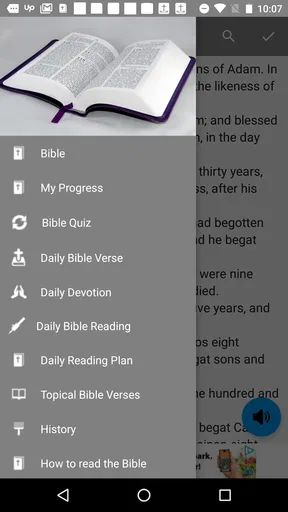
When I want a Bible that is available without depending on a connection, I look for three things first: a readable text, a quick way to find a passage, and tools that help me return to what I found. King James Bible - KJV Offline is built around that simple need. It is a free Books & Reference app from Bible and Games Media, focused on the King James Version with offline reading, audio, a dictionary, and a notebook.
I found its strongest quality in the way it turns a familiar Bible-reading task into a repeatable routine. I can begin with a question, locate a verse, listen instead of read, write a note, and come back later without treating each step as a separate activity. That makes it more useful than a plain digital book, although it is not automatically the best choice for everyone. Its language is intentionally traditional, its extra purchases may matter to some users, and readers who want several translations or advanced study tools may eventually need another app.
From a quick question to a saved reading routine
I find the most useful way to judge a Bible app is to follow a real question all the way through: locate the passage, understand its wording, and decide what to remember. That route makes it easier to see where this focused KJV tool feels quick and where a broader study app might serve better. The next section looks at how its reading and reference tools fit together in an ordinary session.
Starting with the right expectation
The first thing to understand is that this is a focused King James Bible app, not a broad library of modern translations. If you already enjoy the KJV, the app gives you a direct route to that text. If you find older English difficult, the built-in dictionary can help with unfamiliar words, but it does not change the underlying style. I would therefore choose it because I specifically want the King James Bible, rather than because I am looking for a general-purpose religious reference shelf.
The app has been available since October 22, 2015, and its current version is 745. It supports Android 7.0 and later, which makes it accessible on many older devices as well as newer phones. Its Everyone content rating also fits the straightforward nature of the material. The broad adoption is noticeable in the store figures: it has passed ten million installs, with a 4.7 average from roughly 154 thousand ratings and about 13 thousand written reviews.
Those figures do not replace personal testing, but they do suggest that the app has found a stable audience. In my case, the practical question was less “does it contain the Bible?” and more “can I move through a reading session without losing my place or needing another tool?” That is where the offline design, audio, dictionary, and notebook become important.
The first handoff: finding a passage
A realistic use case is a short morning reading session before leaving home. I might remember only a book and chapter, or I might want to check a verse mentioned in a conversation. The useful workflow is to open the app, move to the relevant location, and read in the same place where I can later listen or take notes. Offline access matters here because it removes one common interruption: waiting for a page to load when the signal is weak or unavailable.
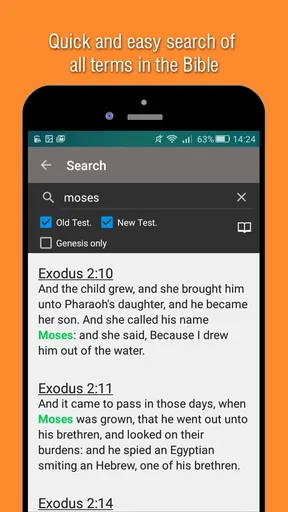
For regular reading, I prefer working through a chapter rather than jumping randomly between isolated quotations. The KJV’s sentence structure rewards patience, and a chapter-based approach makes it easier to follow the argument or narrative around a verse. When I am checking a single reference, speed matters more, so the navigation and search process becomes the first test of whether the app feels comfortable. The app’s value is highest when that transition from intention to passage is quick enough that I do not abandon the task.
One small but important habit is to decide before reading whether the goal is lookup, listening, study, or reflection. A lookup session benefits from direct navigation. A reflective session benefits from opening the notebook after reading rather than interrupting the passage every few lines. Separating those purposes keeps the app from feeling cluttered and gives each tool a clear job.
Reading the KJV without a connection
Offline reading is more than a convenience for travel. It is useful in buildings with unreliable reception, during commutes, on a quiet walk, or when I want to avoid the distractions that come with browsing the wider internet. The app lets the Bible remain available as a self-contained reading space, so I can use it in situations where a web-based Bible would be inconvenient.
There is also a useful psychological difference between opening a dedicated Bible and opening a browser. A browser invites unrelated tabs, notifications, and searches. This app begins with a narrower purpose. For anyone trying to establish a daily habit, reducing those competing choices can be more valuable than having a large collection of extras.
The trade-off is that offline access does not solve every study need. A single KJV text is not enough when I want to compare wording with a modern translation, inspect multiple scholarly notes, or follow a detailed cross-reference chain. In those situations, a larger study platform is the better handoff. I would use this app for dependable KJV reading and a more comprehensive service for translation comparison or academic research.
Listening when reading is not practical
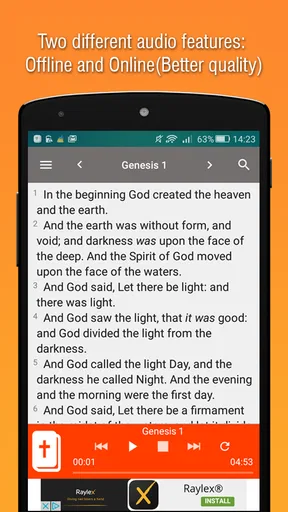
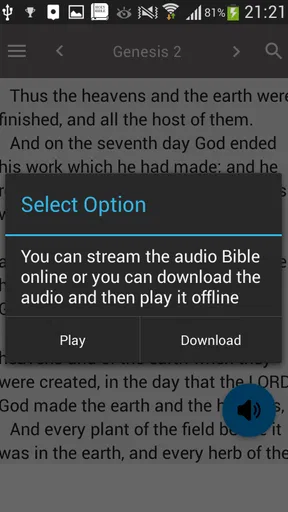
The audio feature changes the workflow from visual reading to listening. I can use it while doing a quiet household task, during a walk, or when my eyes are tired. That makes the app more flexible than a printed Bible, which depends on my attention being directed at a page. I would not treat audio as a replacement for close reading, but it is a useful second pass through a familiar chapter.
My preferred approach is to listen first for the overall movement of a passage, then return to the text for details. This is especially helpful with long narrative sections, where hearing the sequence can make the structure easier to remember. For dense wording, I switch back to reading and use the dictionary only where a term blocks my understanding.
Audio also introduces a practical limitation: listening is less convenient when I need to compare nearby verses, inspect spelling, or write a precise quotation. That is why I see it as a handoff rather than the main destination. The app works best when I can move between audio and text according to the task instead of expecting one mode to do everything.
The dictionary as a rescue tool, not a replacement for context
The dictionary is most useful when a familiar-looking word has an older meaning or when the KJV’s vocabulary slows me down. I use it as a point of clarification after noticing a problem in the sentence. That is better than looking up every unusual word automatically, because too many interruptions can turn a flowing reading session into a series of disconnected definitions.
A concrete workflow is to read a paragraph, mark the word that feels uncertain, consult the dictionary, and then reread the full sentence. The final step matters. A definition by itself may be accurate but still fail to explain how the word functions in that verse. Returning to the surrounding passage helps me avoid treating a dictionary entry as a substitute for interpretation.
This tool is particularly valuable for someone who likes the KJV but did not grow up with its vocabulary. It reduces the need to leave the app and search elsewhere. Still, users should keep their expectations realistic: a dictionary can explain a word, but it cannot settle every theological or historical question that arises from a passage.
Turning a reading into a notebook entry
The notebook is where the reading session becomes something I can carry forward. Instead of relying on memory, I can record a question, a personal observation, a prayer prompt, or a reference to revisit. The best use is not to write a long summary of everything I read. I get more value from short notes that preserve why a verse mattered at that moment.
For example, after listening to a chapter on a commute, I might make a note with the chapter reference and one sentence about a repeated idea. Later, I can reopen the text and see whether the detail still stands out. This creates a simple input-to-outcome chain: a question leads to a passage, the passage leads to a note, and the note creates a reason to return.
There is a trade-off here compared with a dedicated note-taking app. A specialized notes service may offer more elaborate organization, editing, or cross-device workflows. The Bible app’s advantage is proximity: the note belongs to the reading routine instead of being separated from it. I would keep brief study observations here, while storing extensive research or a structured sermon outline somewhere designed for longer documents.
Handoffs between reading, audio, dictionary, and notes
The most successful sessions are not about using every feature at once. They are about handing the task to the right feature at the right moment. I begin with text when I need precision, move to audio when I want the passage to unfold naturally, use the dictionary when one word interrupts comprehension, and finish in the notebook when I want a lasting reminder.
That sequence also prevents a common problem in reference apps: collecting tools without developing a workflow. A dictionary that is never used is decoration. Audio that replaces all reading may reduce careful attention. Notes that are too long become difficult to revisit. The app gives me the pieces, but the quality of the result depends on keeping each handoff purposeful.
For a small group or personal study, I would prepare by reading the passage offline, listening once for its overall shape, and writing questions before the discussion. During the conversation, the app can serve as a quick reference rather than the entire study environment. Afterward, the notebook can capture what I want to investigate further. This is a practical way to use the app without pretending that it replaces a group’s wider resources.
What the finished result feels like
At the end of a good session, I have more than a verse I briefly looked up. I have read the surrounding material, clarified a difficult word, perhaps heard the passage aloud, and left a note that gives the next session a starting point. That is the app’s real strength: it supports continuity.
I also appreciate that the core download is free. Someone can try the reading workflow without committing money first. There are in-app purchases ranging from $0.99 to $10.99 per item, so I would check the purchase prompts carefully and decide whether the free experience already covers my needs. The free entry point is a genuine advantage, but users who want to avoid any optional spending should remain attentive inside the app.
The experience is not as visually or academically expansive as a premium study Bible platform. That is not necessarily a flaw. A narrower tool can be easier to open every day. The result is strongest for personal reading, offline reference, listening, and short notes; it is weaker as a complete replacement for translation comparison, extensive commentary, or a full research library.
Where the workflow breaks down
The first breaking point is language. The King James style can feel beautiful and memorable, but it can also slow down a reader who wants immediate modern phrasing. The dictionary helps with individual terms, yet it cannot remove the broader distance created by syntax and tone. If clarity in contemporary English is the priority, I would choose an app centered on a modern translation instead.
The second is breadth. Readers who regularly compare several translations, consult detailed commentaries, or build linked study projects may outgrow this focused tool. A broader Bible platform will usually handle those handoffs more naturally. I would not install this app expecting it to become a complete seminary library.
The third is note management. The notebook is useful for keeping a thought attached to a passage, but people with a large archive of research notes may prefer a dedicated system. Before moving a year’s worth of study into it, I would test how easily I can retrieve and organize entries in my own routine. The right choice depends on whether notes are reminders or a substantial knowledge base.
There is also the question of attention. Offline access reduces dependence on a network, but it does not automatically create concentration. Audio can be used while multitasking, and quick verse lookup can become a habit of collecting isolated lines. I get the best results when I deliberately read the surrounding chapter and use the notebook to record context, not just memorable phrases.
Who should install it
I would recommend this app to someone who specifically wants the KJV, needs offline access, and values having audio, word help, and brief note-taking in one place. It is also a sensible option for a reader with an older Android phone because the minimum operating-system requirement is Android 7.0. The Everyone rating makes it suitable for a wide range of readers, although the traditional language still determines whether it feels comfortable.
I would be more cautious about recommending it to a newcomer who has never read the KJV and wants the easiest possible introduction. That person may understand the text more quickly through a modern translation, perhaps using a separate KJV app later for comparison. I would also point advanced students toward a more comprehensive study environment if their daily work depends on original-language tools, extensive commentary, or multiple linked resources.
For me, the deciding question is simple: do I want a focused offline KJV companion or a complete Bible research platform? If the first answer is yes, the app’s combination of text, audio, dictionary, and notebook is coherent. If the second answer is yes, its simplicity becomes the main limitation rather than the main benefit.
My recommendation after using the full workflow
King James Bible - KJV Offline succeeds because its features form a practical chain rather than a random collection. I can start with a passage, read without a connection, listen when my hands or eyes are occupied, clarify a difficult word, and save a short thought for later. That is enough to support a steady personal habit, especially when I want the KJV specifically.
The app is not the right answer for every Bible reader. Its traditional English may require patience, its notebook should not be mistaken for a full research system, and readers seeking many translations or deep study references will find better alternatives elsewhere. I also keep the optional in-app purchases in mind rather than assuming every extra is part of the free experience.
Even with those limits, I find the focused approach appealing. The download is free, the content rating is Everyone, and the large existing audience shows that the basic idea works for many people. My advice is to begin with one realistic routine: choose a chapter, read it offline, use the dictionary only for genuine obstacles, listen to part of it later, and save one useful note. If that flow matches the way you actually read, this app can become a dependable KJV companion rather than just another icon on your phone.
Verdict
Strengths of King James Bible - KJV Offline
- Works fully offline after the Bible text is downloaded.
- Includes the complete King James Version without subscription fees.
- Fast search makes it easy to find verses, words, or passages.
- Useful for reading during travel or in areas with limited internet access.
- Simple layout is suitable for users who prefer a traditional Bible experience.
Limitations of King James Bible - KJV Offline
- The King James language can be difficult for modern readers.
- Some features may vary depending on the app version or device.
- Offline access may require storage space for the Bible content.
- The interface may feel basic compared with newer Bible apps.
- Ads or promotional elements may appear in the free version.
Similar Picks in This Category
View All
Google Play Books & Audiobooks
Google LLC4.7

네이버 - NAVER
NAVER Corp.3.5

Wattpad - Read & Write Stories
Wattpad.com3.7

King James Bible - Verse+Audio
Ozion4.8

Bible Offline-KJV Holy Bible
Bíblia Offline4.9

Amazon Kindle: Reading App
Amazon Mobile LLC4.8
Frequently Asked Questions
What is King James Bible - KJV Offline?
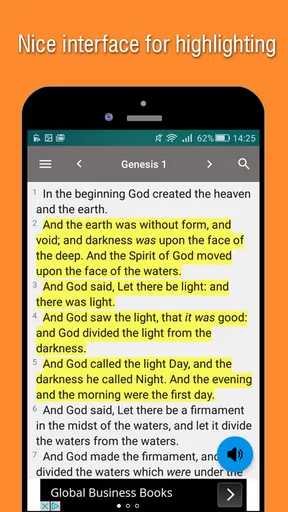
King James Bible - KJV Offline is a Bible-reading app centered on the classic King James Version translation. It allows users to read Scripture on a phone or tablet without needing a continuous internet connection. Depending on the app version, it may also include tools such as bookmarks, highlights, notes, search, daily verses, reading plans, and adjustable text settings for more comfortable study.
Can I use King James Bible - KJV Offline without an internet connection?
Yes, the main advantage of this application is offline access to the King James Bible after the required content has been installed on your device. This makes it useful while traveling, in areas with weak reception, or when you want to avoid using mobile data. Internet access may still be needed for advertisements, updates, optional media, or certain online features included by the developer.
Does the app include the complete King James Version Bible?
The application is designed to provide access to the King James Version, including both the Old and New Testaments. Before downloading, users should check the store description and the app’s internal contents to confirm which books and editions are included. Some versions may organize the text differently or offer additional study material, while others focus only on straightforward Bible reading.
What reading and study features are available?
King James Bible - KJV Offline generally offers practical tools for personal reading and Bible study, such as searching for words or passages, bookmarking verses, highlighting important sections, and adjusting font size or display settings. Some releases may also provide notes, sharing options, reading plans, or daily devotionals. Feature availability can vary between Android and iOS versions.
Is King James Bible - KJV Offline free to download and use?
The app may be available as a free download, but the exact business model depends on the version published in the Google Play Store or Apple App Store. Free editions can include advertising, optional purchases, or premium features. It is advisable to review the store listing, permissions, subscription details, and privacy information before installing, especially if you want an uninterrupted reading experience without advertisements.
